
The CFA learning ecosystem login helps candidates reach their study materials and track progress easily. It covers what you need before logging in, how to access lessons, fix common issues, and use the platform effectively for focused CFA study sessions.
Comprehensive Summary on ‘How to Log in to the CFA Learning Ecosystem’
CFA Learning Ecosystem Login
The CFA Learning Ecosystem Login lets candidates access all study material and track progress efficiently.
CFA Study
A CFA study is structured within the LES to help students prepare systematically for exams.
CFA Student Login
A verified CFA student login ensures secure, personalised access to your learning dashboard.
CFA Institute
The CFA Institute manages all candidate accounts and provides official resources for exam preparation.
CFA Certification
The CFA certification is recognised globally and requires constant use of the learning ecosystem for practice and review.
What is CFA?
CFA is a professional finance certification that helps build expertise and career growth.
Need Help Accessing the CFA Learning Ecosystem?
 Call Our Experts Now
CFA Learning Ecosystem Login: How to Access Your Study Dashboard
It’s the night before your study session, and you’re all set to go through your CFA study material. You open your laptop, but the login page feels confusing, and you hesitate. Logging in easily saves time and keeps you from getting stressed, so it helps to know how to use the CFA learning ecosystem.
Preparing for Access: What You Need Before Logging In
Before attempting the CFA learning ecosystem login, make sure you have all essentials ready.
Verified CFA Institute Account Credentials
- Ensure your account is fully verified with the CFA Institute.
- Double-check your primary email and password before logging in.
- Avoid shared or temporary email accounts for security reasons.
System Requirements for 2026: Browsers and Devices
- The learning ecosystem works best on modern desktops and laptops.
- Verify that your device has up-to-date software and security settings.
- Make sure your internet connection stays steady so your CFA study sessions don’t get interrupted.
Why Google Chrome and Firefox are Preferred
- Both browsers run the platform’s scripts properly and keep the security features working without issues.
- It minimises display errors when compared to older browsers.
- Using other browsers may cause delays during login or while accessing lessons.
Step-by-Step: Accessing the Learning Ecosystem
Below is a simple guide to logging in without delays.
Step 1: Navigating to the Official CFA Institute Website
- Open your browser and go to the official CFA Institute website.
- Avoid third-party links to prevent phishing risks.
Step 2: Entering Your Primary Email and Password
- Enter the email registered with your account.
- Type your password carefully and watch out for ‘Caps Lock’ mistakes.
Step 3: Locating the “Programs” or “Candidate Resources” Tab
- Once you log in, go to the ‘Programs’ or ‘Candidate Resources’ section.
- You’ll find the CFA learning ecosystem access link there.
Step 4: Launching the Learning Ecosystem (LES) Dashboard
- Click the LES link to open your dashboard.
- This is where you begin your CFA study, keep an eye on your progress, and use your study planner.
Quick Access Links & Resources
These tools help you manage your CFA study better.
| Resource | Description | Direct Access | Notes | Frequency |
| LES Dashboard | Main login page | Link in Candidate Resources | Updated lessons weekly | Daily |
| Study Planner | Schedule your sessions | Within LES | Track completed topics | Weekly |
| Mock Exams | Practice tests | LES Menu | Simulates real exam conditions | Monthly |
| Game Center | Gamified learning | LES Menu | Interactive quizzes | Weekly |
| PDF Downloads | Offline lessons | LES Menu | Use when internet is unstable | As needed |
Troubleshooting Common Login Issues
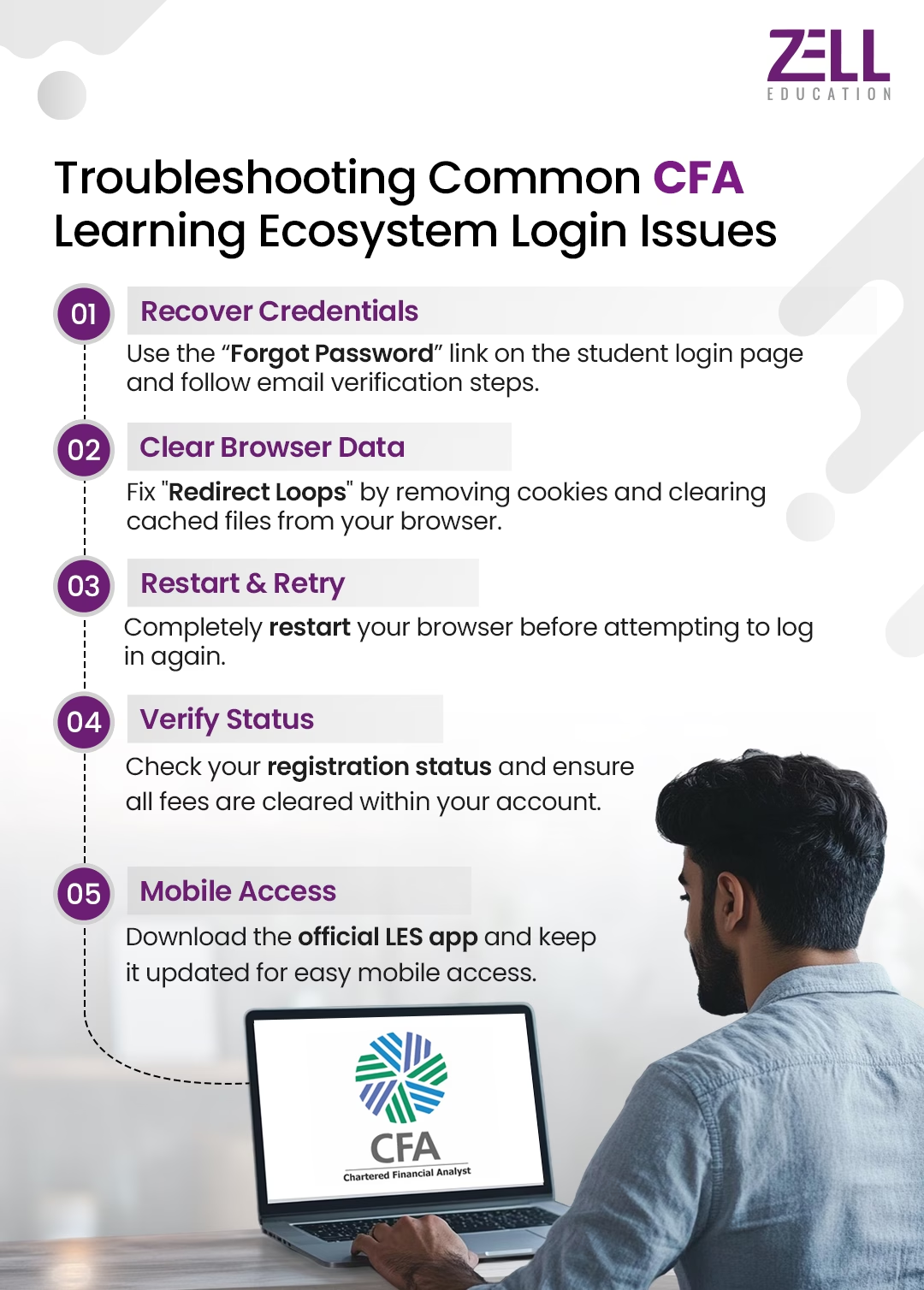
If your CFA learning ecosystem login is not working, try these simple steps.
Recovering a Forgotten Password or Username
- Use the “Forgot Password” link on the CFA student login page.
- To reset your credentials, follow the email verification steps.
Solving the “Redirect Loop” and Clearing Browser Cache
- Remove cookies and clear cached files from your browser.
- Restart the browser before trying to log in again.
Access Denied: Issues with Registration Status or Payment
- Take a moment to check your registration status in your CFA Institute learning ecosystem account.
- Also, make sure all your fees are paid before you try to log in.
- Ensure all fees are cleared before logging in.
CFA Learning Ecosystem App: Mobile Login Tips
- Get the official LES app on your iOS or Android device.
- Update the app regularly so logging in on your phone stays easy.
Troubleshooting Quick-Fix Guide
Use these quick steps to fix common login problems.
| Issue | Quick Fix | Location | Frequency | Notes |
| Forgot password | Reset via email | CFA student login page | Often | Check spam folder |
| Redirect loop | Clear cache | Browser | Occasional | Restart after clearing |
| Access denied | Verify registration | Account settings | Rare | Contact support if unresolved |
| LES slow | Update browser | Browser | Occasional | Chrome/Firefox preferred |
| App login fails | Update or reinstall the app | Mobile | Rare | Keep mobile OS updated |
Have Questions About CFA Learning Ecosystem Login?
 Chat With Us on WhatsApp
Maximising Your Time in the Learning Ecosystem
Using the “Study Planner” to Stay on Track
- Plan your daily and weekly CFA study sessions.
- Track completed lessons and quiz attempts.
How to Access “Game Center” for Gamified Learning
- Use interactive quizzes to reinforce lessons.
- Gamified learning increases retention and engagement.
Printing Lessons: When to Use the Offline PDF Feature
- Download PDFs when the internet is unstable.
- Use them for note-taking or offline review sessions.
Conclusion: Starting Your Study Session Right
Logging into the CFA learning ecosystem successfully sets the tone for good study sessions for your CFA certification. By preparing your credentials, using recommended browsers, and knowing the steps, you save time and avoid stress.
Once you get used to the LES, your CFA study sessions become easier and more focused.
FAQs on How to Log in to the CFA Learning Ecosystem
Can I log in to the CFA learning ecosystem on multiple devices?
You can sign in on multiple devices as long as you use your verified credentials.
Is there a separate login for the CFA mock exams?
No, mock exams are accessible directly through the LES dashboard.
What should I do if the learning ecosystem is down for maintenance?
Examine the LES status on the CFA Institute site and try again later.
Does the CFA learning ecosystem work offline?
Some lessons can be downloaded as PDFs for offline access.
How do I refresh my progress if it isn’t updating after a login?
Log out and log back in, or clear your browser cache for updates.

Current Role
Co-Founder & CEO at Zell Education
Education
- ACCA – Association of Chartered Certified Accountants, Finance (2011 – 2014)
- Bachelor of Commerce (BCom), Financial Markets from H.R. College Of Commerce & Economics (2010 – 2013)
Location
Mumbai, India
Expertise
ACCA Certified
Why Zell?
- • Largest Provider for Global F&A Courses
- • 4.6 Google Review Rating
- • 1000+ Global Placement Partners
- • Placement Opportunities at the Big 4
- • 100+ Global & Indian Rank Holders
- • 100+ Faculty Network
- • 10,000+ Students Placed
Speak to A Career Counselor
Zell's 10th Anniversary Offer - Avail a 10% Scholarship